Git without the Hub
I use Git in almost every project I start. However, GitHub is a different story. It’s great when I’m working with a team, but overkill for most of my solo work.
Solo projects are where I learn and experiment with something new. The only features of Git I actually need for them are:
- Atomic commits that can easily be reverted or cherry-picked
- Branches for larger changes
- An overview of the project’s history
Pull requests and CI aren’t necessary. Most of the time the repo never leaves
my machine. I’m a fan of trunk-based
development (a habit from my time at
Etsy), so I usually commit to main and keep moving.
Picking an origin
Git doesn’t care where origin lives. A path on disk works as well as a URL.
My projects all begin on an external drive mounted at /media/lab.
That lets me create a bare repo as the origin for a new experiment, with no authentication over the internet:
git init --bare /media/lab/experiment
Then I can clone it to my local machine and get to work:
git clone /media/lab/experiment ~/Workspace/experiment
Or if I already have a local repo, I point it at the bare origin and push:
git remote add origin /media/lab/experiment
git push -u origin main
If I need to access it from different machines without juggling the hard drive between them, or the work is important enough to warrant a backup, I set up the bare repo on a VPS and host it on a subdomain:
ssh git@code.ahmedhashim.com git init --bare experiment.git
git remote set-url origin git@code.ahmedhashim.com:experiment.git
git push -u origin main
Finally, if the experiment becomes successful enough to share with others, I can point the origin at GitHub and push:
git remote set-url origin git@github.com:ahashim/experiment.git
git push -u origin main
Browsing history
git log gives me the bird’s-eye view:
git log --all --graph
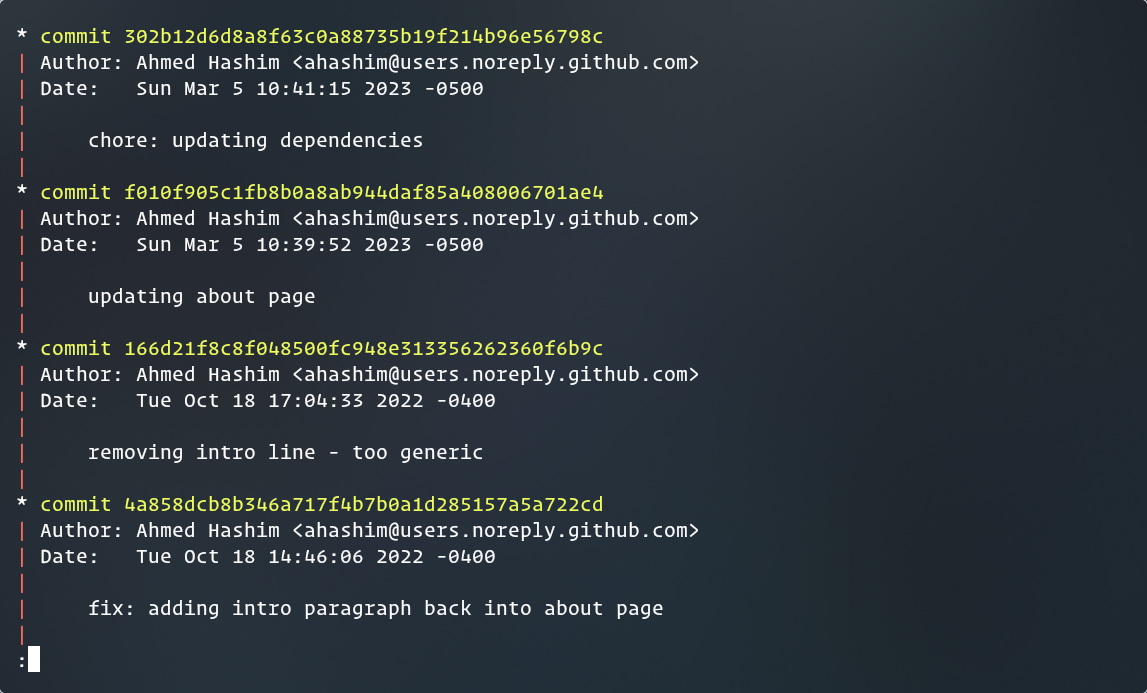
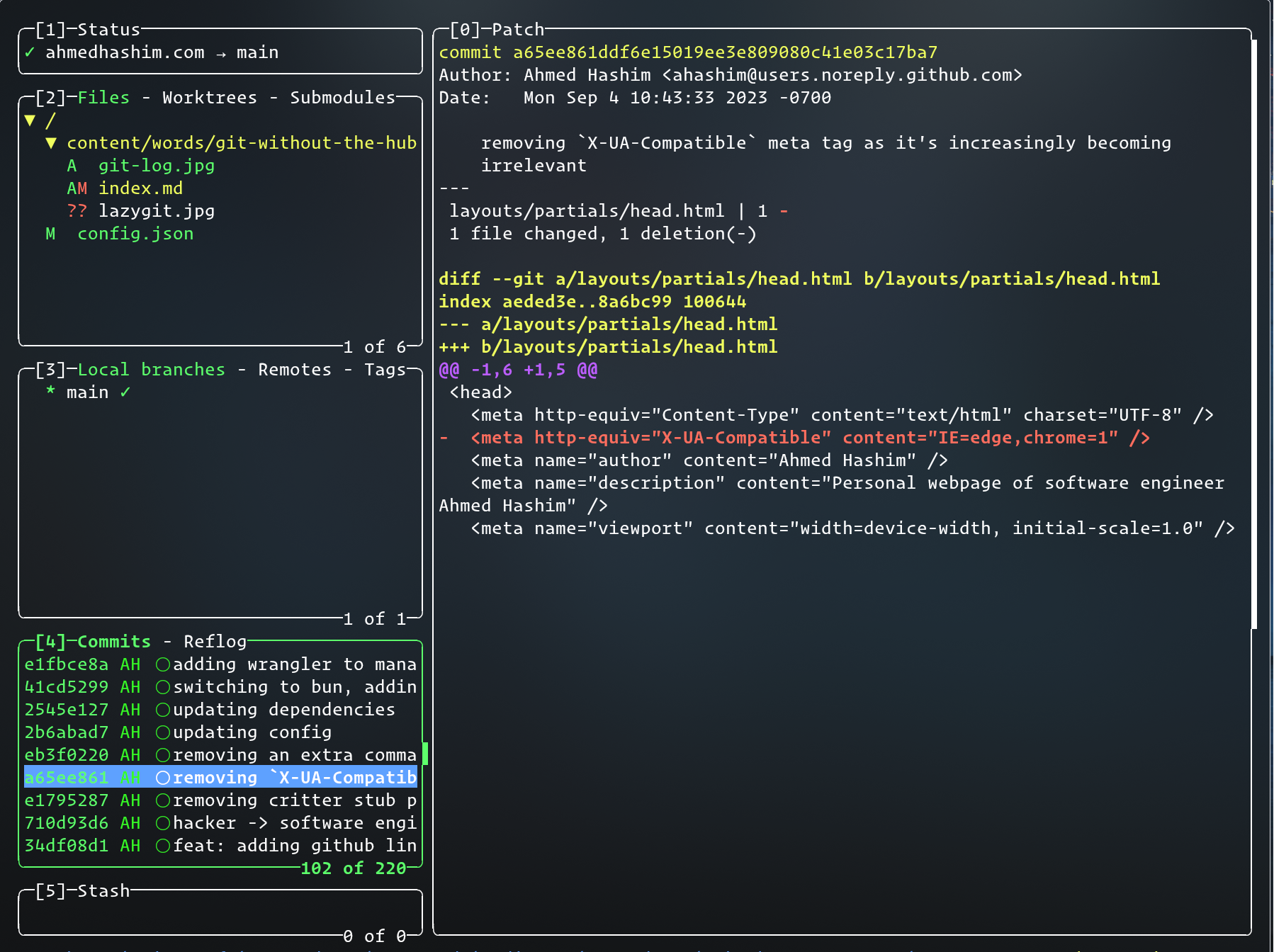
I also like having a UI that shows diffs next to the log. Lazygit is great for this:
lazygit
When I want something that stays open in the browser, I fire up a Git WebUI server:
git webui
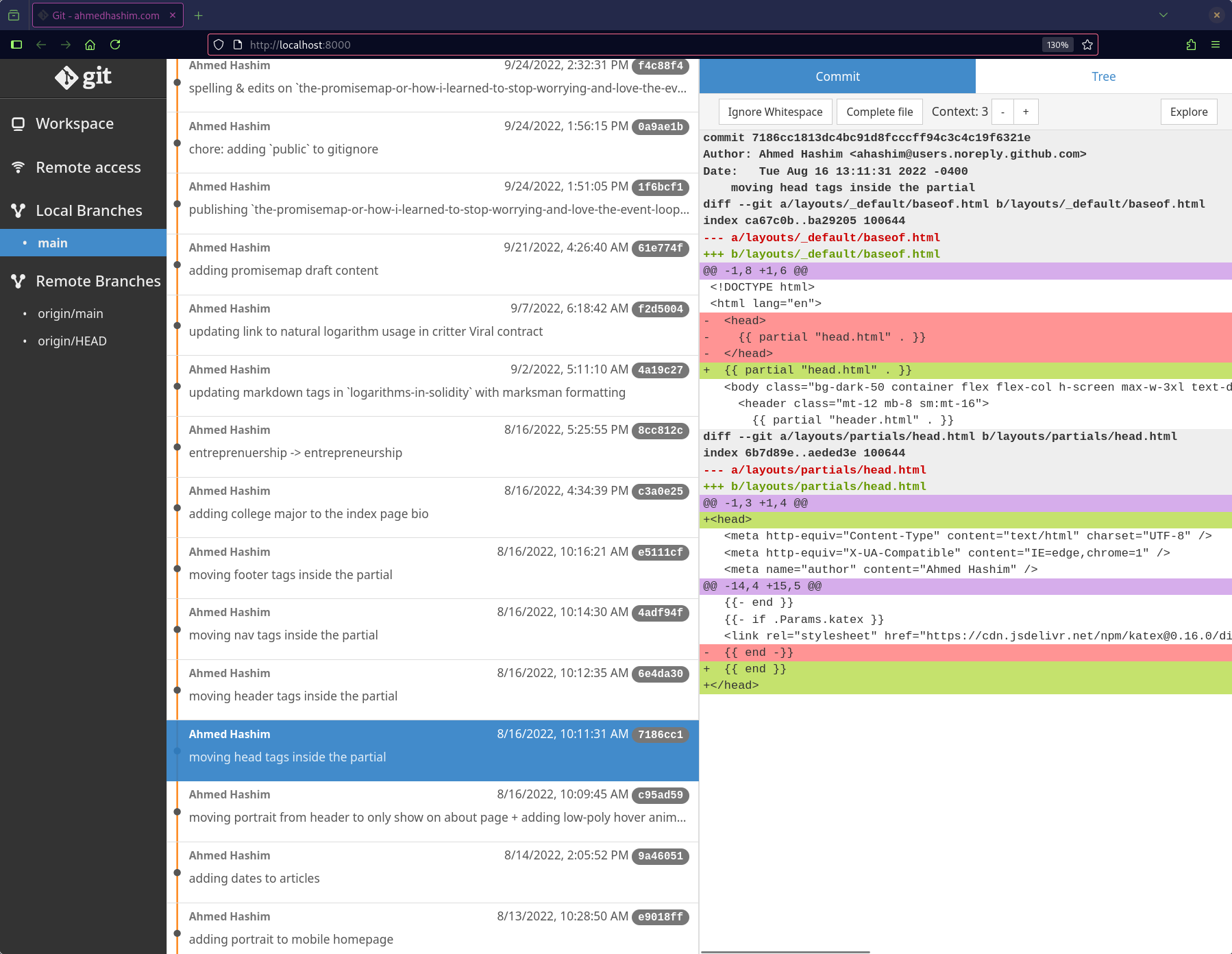
I bookmark the page and leave it open while I work. It may not have GitHub’s bells and whistles, but I don’t miss them. One thing to note is that anyone on your network can clone the repo while it’s running.
It’s a small setup, and it gets out of the way so I can focus on the experiment. If one turns into something worth sharing, GitHub’s still there.